




HALA Plus
More ways to complete the sale, built into your POS
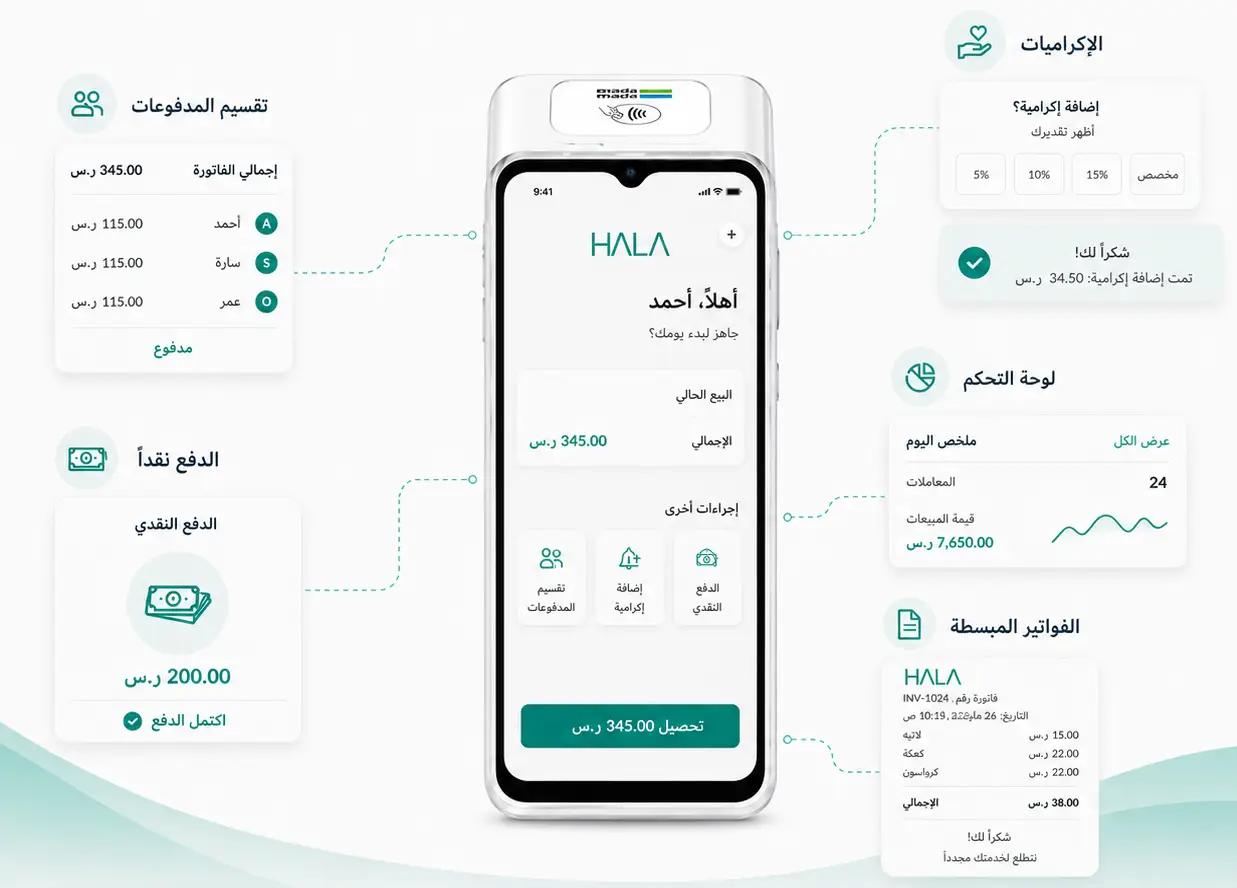
HALA Plus brings extra checkout features to your Hala POS, from split payments and tips to cash, simplified invoicing and an in-device dashboard. Give customers more flexibility at checkout and help your team run the business straight from the device.
Serve faster with value-added features
HALA Plus is a growing set of built-in features designed to improve the checkout experience on your Hala POS. Handle common payment scenarios better without adding complexity for your staff or customers.
Today, Hala Plus includes:


Built for the best checkout experience

Split payments
Split payments
Allow multiple customers to pay the same bill. Divide the total amount across multiple guests in one click and complete each payment in the same flow.

Tips
Tips
Give customers the option to add a tip during payment. Tip amounts can be selected directly on the screen as part of checkout.

Cash payments
Cash payments
Accept cash without leaving the checkout flow. Record the amount, confirm the payment and keep every sale in one system.

Simplified invoicing
Simplified invoicing
Issue simplified invoices on the spot. Print, share a QR receipt or go paperless with the Go Green option.

In-device dashboard
In-device dashboard
See total transactions, tips and cash performance for the day or week directly on the POS, without opening another app.

Smooth payment flow
Smooth payment flow
Hala Plus is pre-installed and already available on your HALA POS, so staff can move through checkout without switching systems or using workarounds.
A closer look at what's new
New features that expand what you can do at the point of sale.
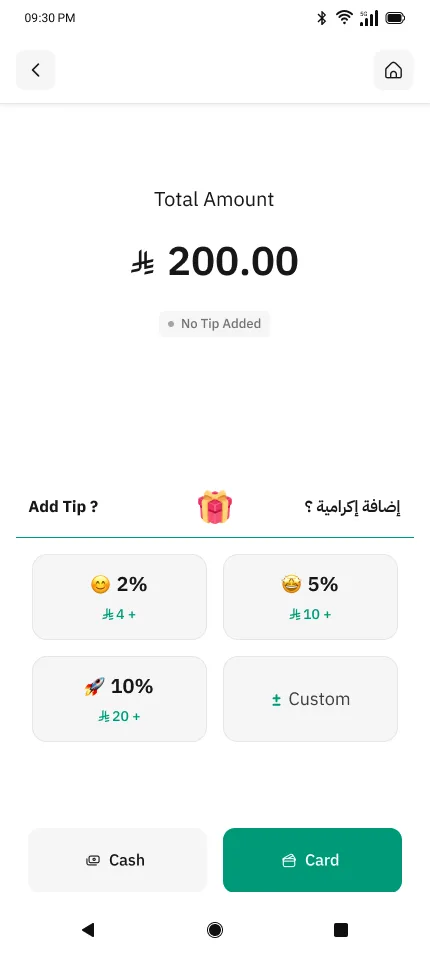
TIPS
Let customers add a tip in one tap
Give customers a fast, friendly way to add a tip during checkout. Preset percentages, quick amounts and a custom option keep the flow smooth for staff and the guest.
SPLIT PAYMENTS
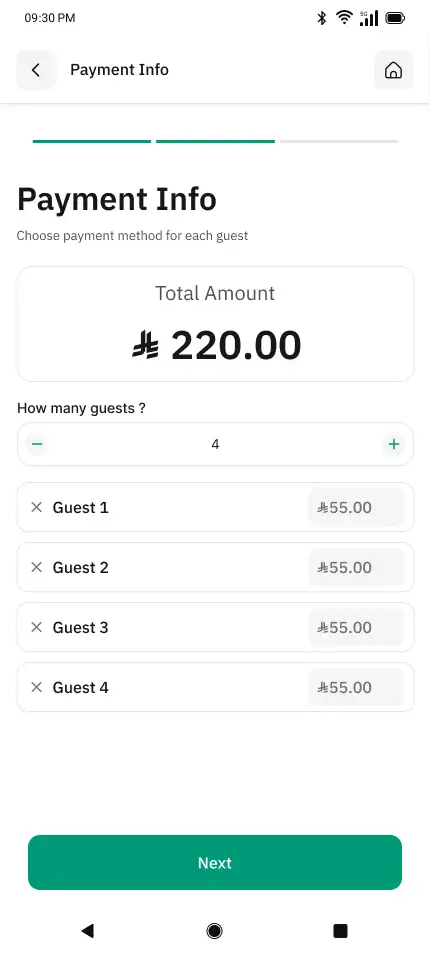
Split the bill across multiple guests
Divide the total across any number of guests in one clear flow. Adjust per-guest amounts, remove a guest with one tap and complete each payment in sequence.
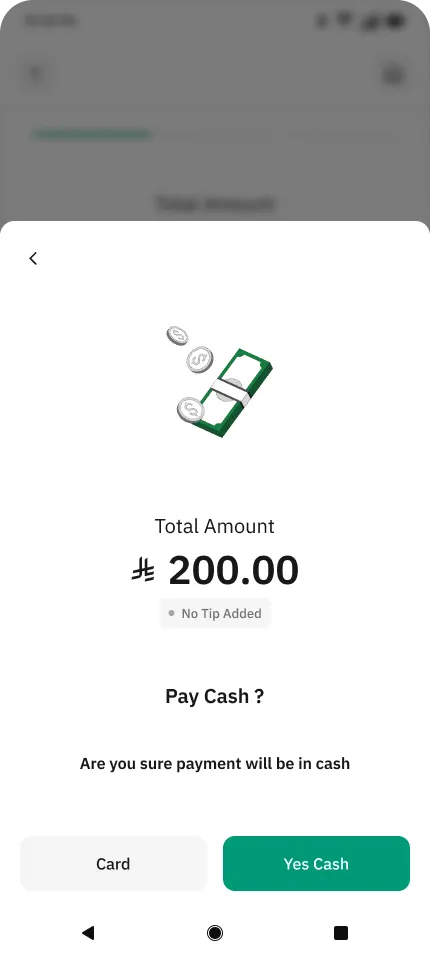
CASH PAYMENTS
Accept cash inside the same checkout
Handle cash transactions with the same clarity as card. Confirm the total, capture whether a tip was added and keep every cash sale recorded alongside your card sales.
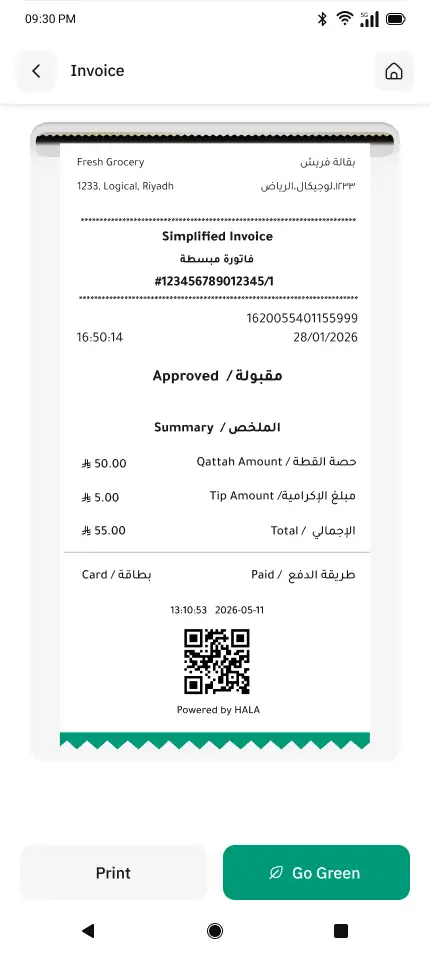
SIMPLIFIED INVOICING
Issue invoices in seconds
Generate a bilingual simplified tax invoice at the end of every sale. Share it on paper, keep it fully digital with the Go Green option or hand over a QR receipt customers can scan and store.
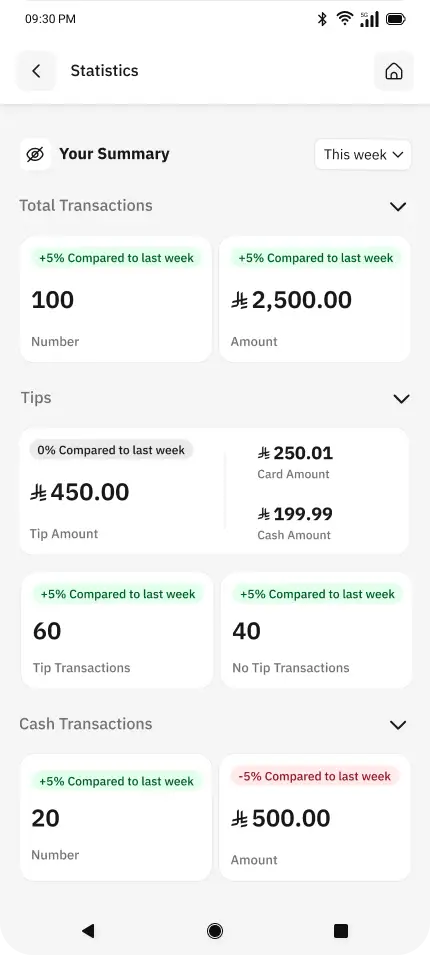
IN-DEVICE DASHBOARD
Track your business without leaving the POS
Get a live summary of your day right on the device. Review total transactions, tips split between card and cash, cash transactions and week-on-week trends, all from a single screen designed for busy staff.
Made for service-led businesses
Make payment easier for your customers and help your team handle payments faster and with less confusion, no matter the business.

Restaurants and cafés
Split bills, add tips, take cash and hand over a compliant invoice on the spot.

Hospitality
Offer a smoother payment experience in service environments where tips, cash and shared payments are common.

Barbers, salons and services
Accept card or cash, add a tip and issue a proper invoice without any extra tools.

Smoother peak time payments
Keep operations smooth during rush hour with shared checkout, cash handling and a live view of the day.
Works directly on your HALA POS
STEP 1
Start the payment
Begin the transaction on your HALA POS as usual, and select the HALA Plus app.

STEP 2
Choose the payment flow
Enter the amount and pick card or cash, add a tip, split the bill or issue a simplified invoice.
STEP 3
Complete and review
Finish the checkout in one clear flow, then open the in-device dashboard to see how the day is going.
Still have questions?
We are always here to support you 24 hours a day 7 days a week


Can't find what you're looking for?
Hala is a leading fintech platform enabling SMEs to manage their inbound and outbound payments in a simple and secure way.
 Call us
  Customer care

